 Sideline SideKick Tracker
The coach's guide
You do not have to read this front to back. Most staffs need two things before their first Friday — a team and a playbook — and then one screen on game night. That is the first three guides. Everything after them is the part of the app you grow into.
New this week?
Work the first three guides in order and you will be ready to keep a game. Budget about forty minutes, most of it typing in your roster — or a few seconds, if you have it in a spreadsheet already.
Your first week
-
01
Make or upload a team
Create the team, get your roster in from a spreadsheet, and build the playbook — formations, plays, and the play types that make the rest of the app work.
About 20 minutes · do this first -
02
Make a game
Add an opponent, set the kickoff, mark the game live, and know what changes when you mark it final.
About 5 minutes -
03
Log a play — every kind
Runs, passes, punts, kickoffs, returns, touchdowns, penalties and bad snaps. The screen you will spend Friday night on.
About 15 minutes · the important one
The rest of the app
-
04
Coaches, fans and settings
Who sees what, how the invite code works, promoting a parent to coach, and every switch in Team Settings.
About 10 minutes -
05
Coach's Read
What is working tonight, what has gone cold, and what a scout in the opposite press box can already see about you.
About 8 minutes -
06
The Booth
A shared notepad for your staff during the game, and the halftime card it compiles itself into.
About 8 minutes
Watch it done
Six short clips, one per job. Each plays on the guide it belongs to — no sound, nothing to sit through.
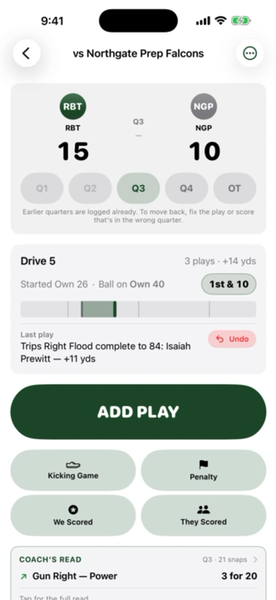 Open tonight's game 11s
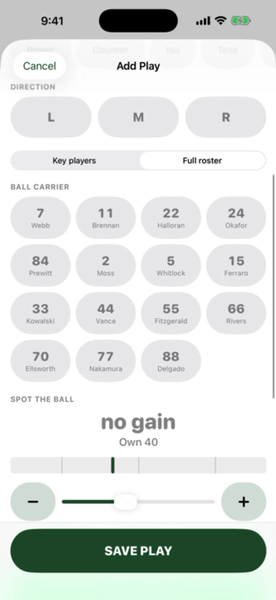 Log a play 25s
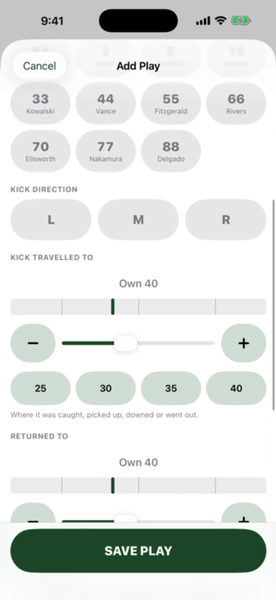 Punts and kickoffs 19s
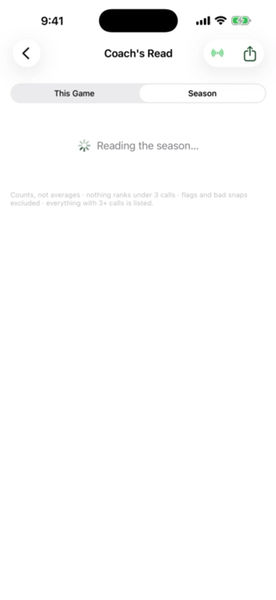 Coach's Read 19s
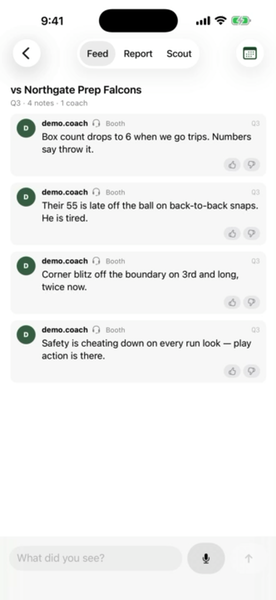 The Booth 13s
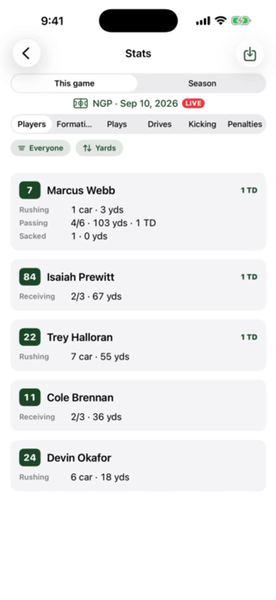 Stats and export 12s
Friday night, in one page
If you read nothing else, read this. It is the whole game-night loop.
-
Open the game. It is the card at the top of the home screen — the app puts the live game there, or the next one on your schedule.
-
Tap Mark live from the menu in the top right. Play entry does not open until you do.
-
Tap ADD PLAY after every snap. Formation, play, direction, who had it, and where the ball ended up. Four or five taps.
-
Answer the prompt when one appears. After a touchdown the app asks for the points and the try; after a fourth down that came up short it offers to end the drive. Tap it and it is done.
-
Tap Mark final when it is over. The postgame report is in the same menu, and it is ready immediately.
No signal in your stadium? Nothing above waits for the server. Plays are saved on the phone the moment you tap Save and sync when the phone finds a bar. If two coaches enter plays on two devices with no signal, the app reconciles the numbering when they reconnect — see two coaches, one game.
Still stuck
Every guide here describes the current version of the app. If a screen does not look like the one in the picture, you may be a version behind — check the App Store for an update. If it still does not match, that is worth telling us about: Support has the address, and a screenshot helps more than anything else you could send.