Every play, logged from the sideline.
Sideline SideKick Tracker is a play tracker built for high school football staffs. Log a play in about five taps, watch the stats keep up with the game, and walk off the field with the postgame report already written.
Joining a team is always free. No ads, and your roster is never sold.
Sideline Headset is a separate free app for your staff, included with a coach subscription.
Built for the twelve seconds between plays.
Everything here exists because of one constraint: you are standing on a sideline, the offense is already breaking the huddle, and you can't afford to look down for long.
Log at game speed
Formation, play, ball carrier, a spot button, save. That's a plain run in about five taps, and when you're done the ball is already placed for the next snap. The keyboard never appears unless you go looking for the notes field.
Stats while it still matters
Totals update as the plays go in, so you can answer "how many carries has he got?" in the third quarter instead of on Saturday morning with a spreadsheet and a legal pad.
Mistakes don't wreck the game
Undo the last play, or open one from the middle of the log and change where it ended. Every play after it repairs itself. Numbering, drives and start spots all follow along.
Nothing goes unscored
Reach the end zone and the dashboard asks for the points and the try, already filled in. Opponent scores and kickoff returns are handled too, and a return won't ask you for a formation you never called.
No bars, no problem
Some of these stadiums have no signal at all, and the app is built not to care. Log a full game offline: plays, scoring, all of it. It catches up the moment the connection comes back.
The whole staff, one game
Everyone signed in to your team works the same game together. Hand parents and players the invite code and they join read-only. They see the score, the play-by-play and the stats, never the playbook.
What's working, by the second quarter
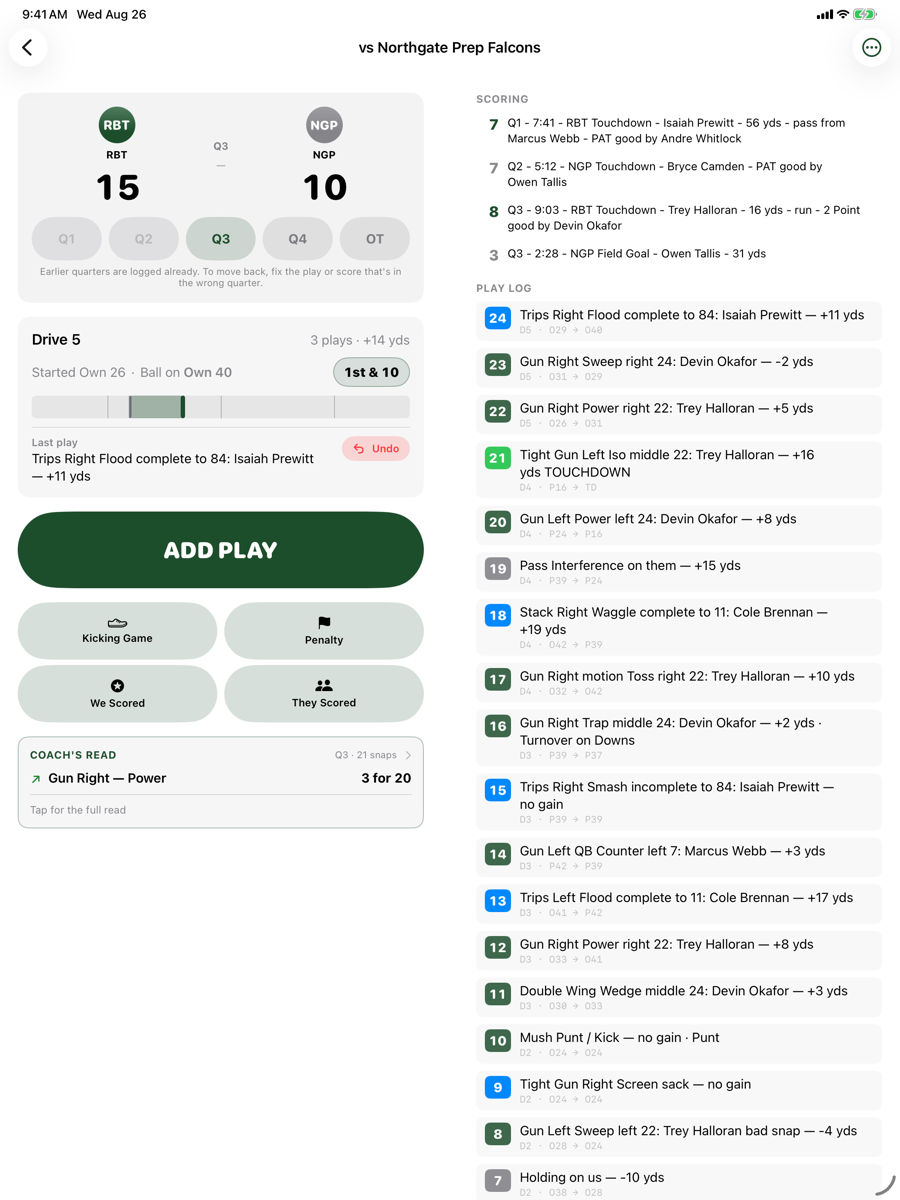
Coach’s Read counts your own calls back at you — what is moving the ball tonight, what has gone cold, and what a scout in the other press box can already tell about you. Counts, not averages, and nothing ranks until it has been called three times.
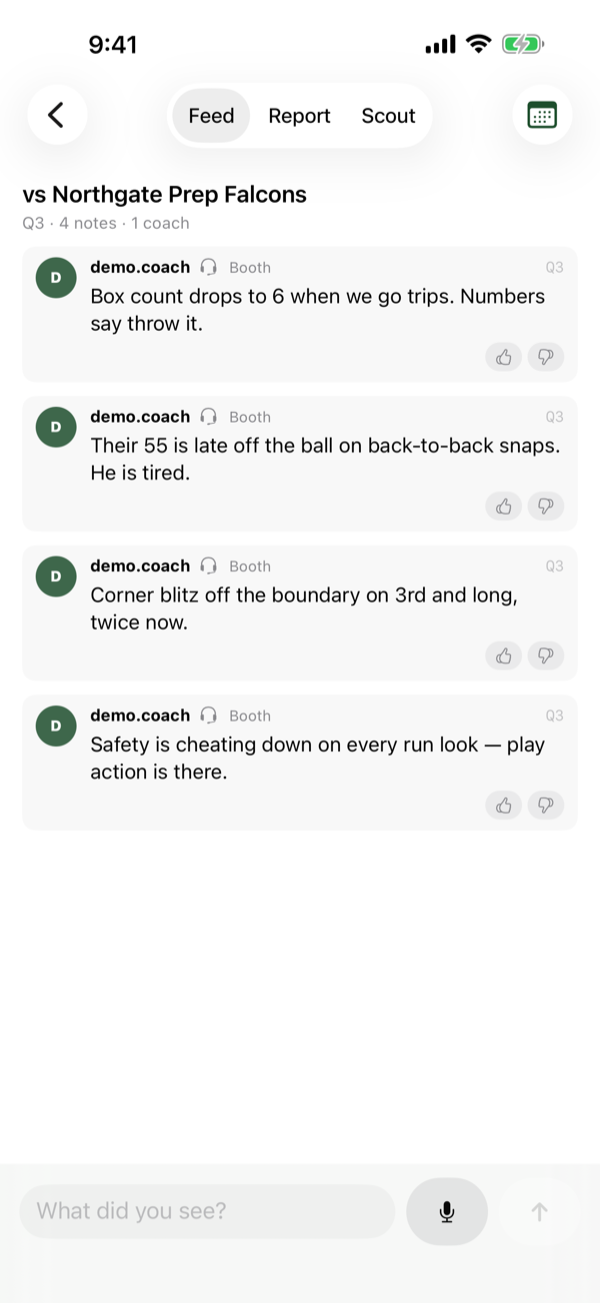
The booth and the sideline, in one place
A shared notepad for your staff during the game. Every note carries a name, a post — booth or field — and a quarter, and at the break it files itself into a halftime card. Coaches only; never shown to fans.
Punts, kickoffs and returns, properly
The kicking game gets its own form, because a punt and a punt return are not the same play. Return yards are measured from where the ball came down, not from their snap — which is the difference between a returner’s real number and their punter’s leg.
Set it up once in August. Use it every Friday after that.
Build your team
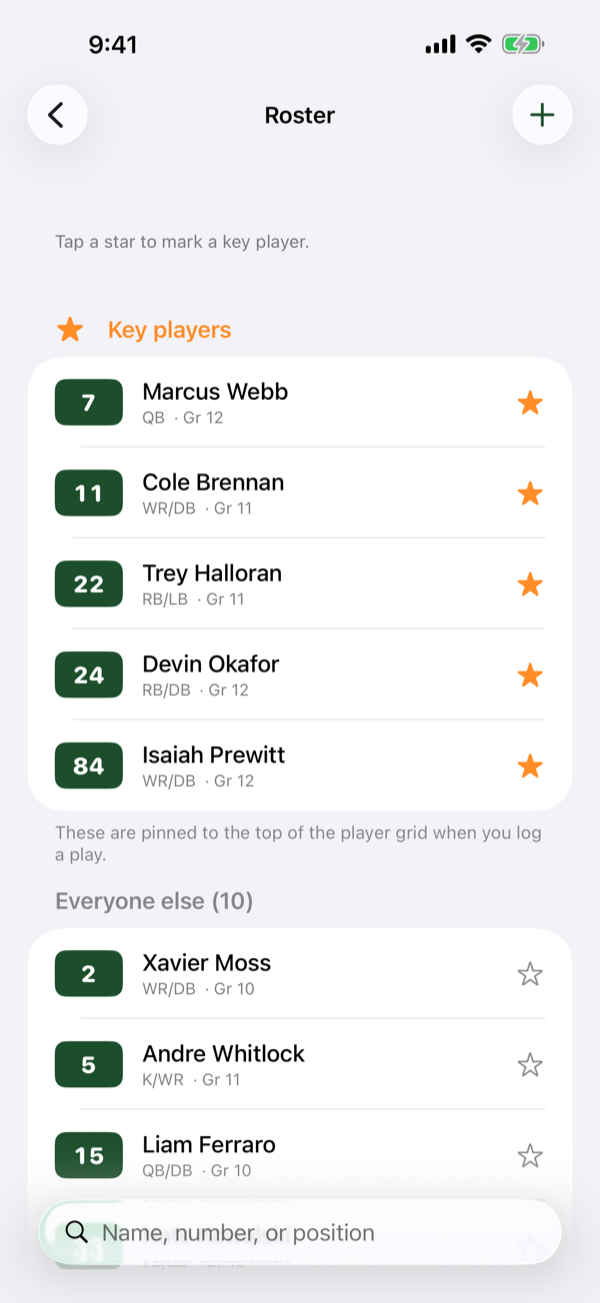
Enter your roster: name, number, position, grade. Then your formations and play calls, and your team colors. Then send your staff the invite code so everybody's in.
Work the game
Log plays as they happen. The score, the down and distance and the ball position keep themselves current, and the stats build in the background while you coach.
Send the report
When it's over, open the postgame report. Line score, play-by-play, player totals. Share it as text or as a PDF without waiting until you're home.
Big type, high contrast, readable in the sun.
On an iPad it splits in two: entry on the left, the scoring and the whole play log on the right.
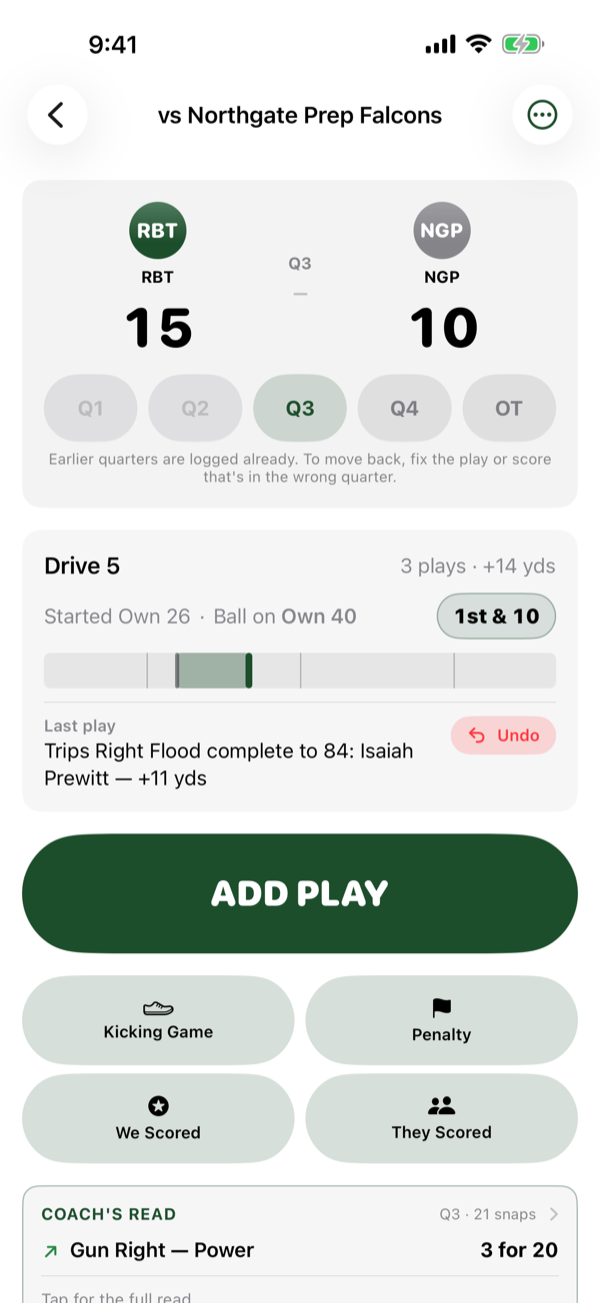
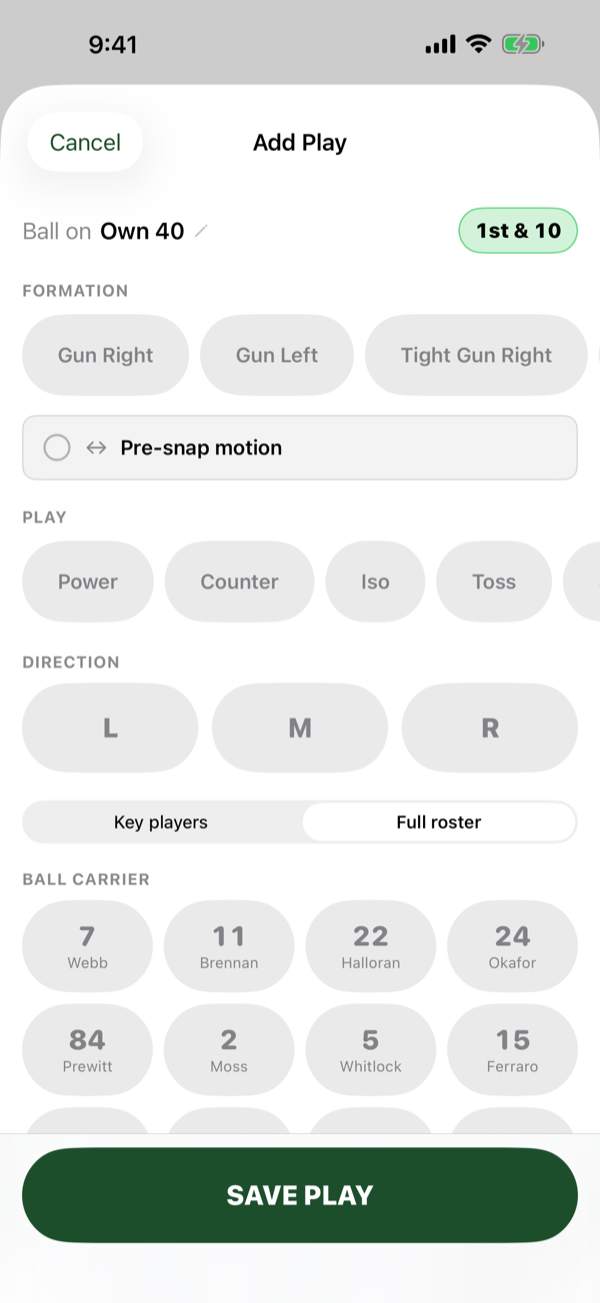
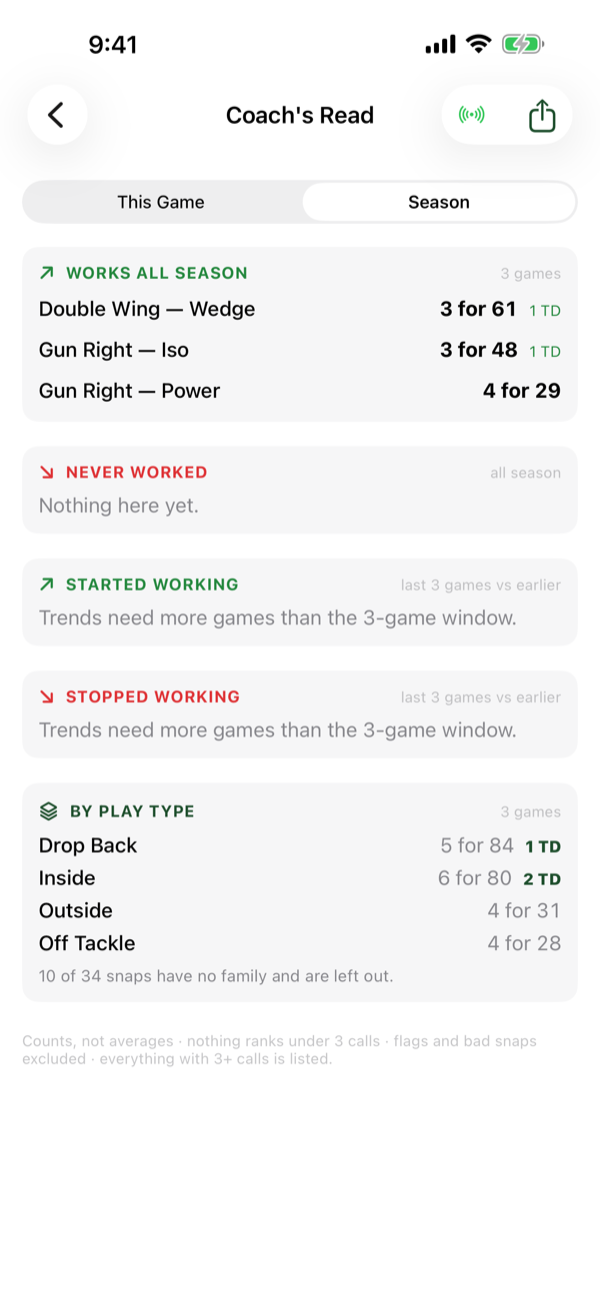
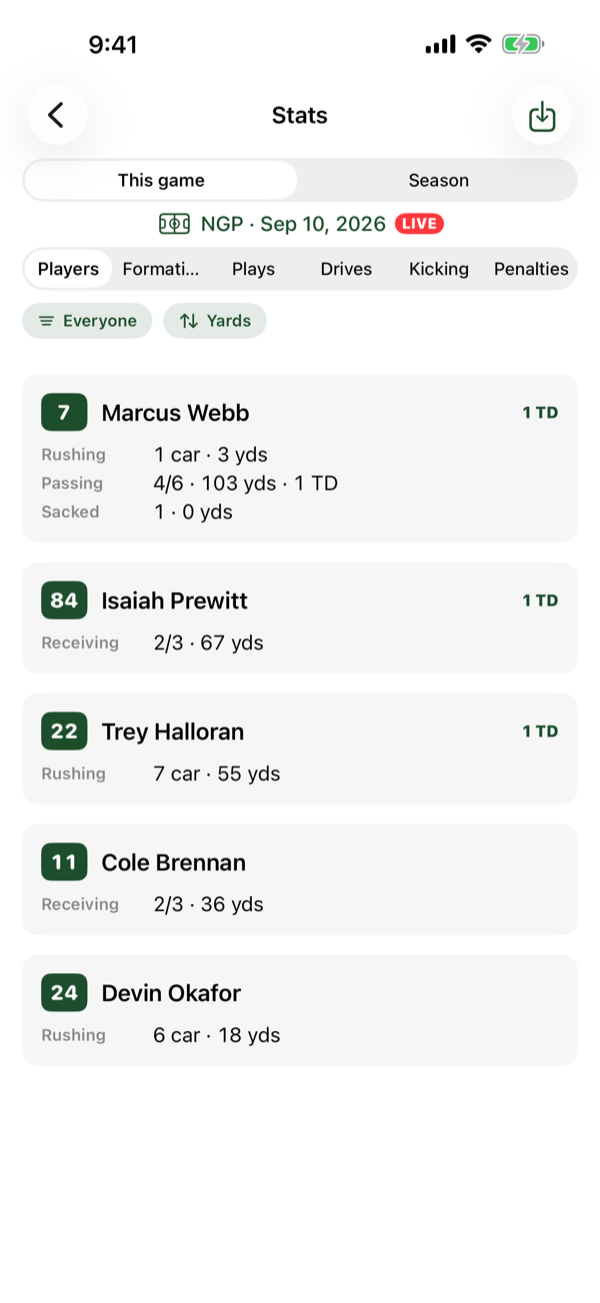
Every screen, written down.
Six guides and six short clips: making a team, making a game, logging every kind of play, who sees what, Coach’s Read and the Booth.
One coach subscription. Two weeks free. Everyone else pays nothing.
Creating a team needs a coach subscription, and it covers your whole account rather than one team: up to five teams on one subscription, so a varsity and a JV cost the same as one. The App Store listing and the subscription screen in the app show the current price — they are the only places it is stated, so nothing here can disagree with what you are actually charged. The first two weeks are free — Apple allows one introductory offer per account, so it is there if you have not already used one on this app.
Joining a team with an invite code is always free. Your assistants, your parents and your players never pay anything — here is what a fan sees.
Sideline Headset is included — the wireless headset app for your staff, on the phones they already carry. Nothing extra to buy, and every coach on your staff can use it, not only the one who subscribed.
Payment is charged to your Apple Account, and you can cancel any time in the Settings app — you keep access until the end of the period you have paid for. The subscription screen in the app shows the price and terms that apply to you, which is the number to trust if this page is ever out of date.
Everyone else gets in for nothing. All of it, all season.
A fan is not a trimmed-down tier waiting to be upgraded. Hand out your six-character invite code and a parent gets the live score, every play written in plain English, and a running stat line for their kid. Joining is always free, there is nothing for them to buy at any point, and there are no ads.
The score, live
The score, the quarter and the drive happening right now, updating on their phone as your staff logs it on yours. For the parent stuck at work, this is the game.
Every play, in English
Trey Halloran ran for 8 yards — sentences, not coaching shorthand. Nobody needs to know what a formation is to follow along, and the fan version is built separately from the coach’s, so your play names have no route into it.
Their kid’s stat line
Carries, yards, catches, touchdowns, per player, updating through the game. This is the part parents actually open it for, and it is there on Friday night rather than Saturday morning.
Nothing to sell them
No ads, no upgrade prompt and no per-parent charge. Roster information about a minor is never sold and never used for advertising. The code is the whole transaction.
Your roster is your roster.
The app holds information about minors, so it's worth being plain about it. Roster data is visible only to the people your team's owner has let in. It is never sold, never shared with other companies, never used for advertising, and never used to track anyone across other apps or websites. There are no ads, and no usage analytics — the app doesn't record which screens you open or how long you spend in it. The one thing it sends that nobody typed in is a crash and error report when something breaks, so problems can be found and fixed. Those carry no names and aren't linked to your account.
Try it with your staff this season.
Sideline SideKick Tracker is on the App Store now, and it's a free download. Creating a team needs a coach subscription; joining one never does, so your assistants, your parents and your players get in for nothing. What coaches tell me after an actual Friday night is still what shapes it.

Sideline SideKick Tracker
Log every play from the sideline and walk off with the postgame report written. Free to download — creating a team needs a coach subscription, joining one never does.
View on the App Store
Sideline Headset
Free with a coach subscription. A wireless headset for your staff on the phones they already carry — nothing extra to buy, and every coach on the staff can use it, not only the one who subscribed.
View on the App Store