 Sideline SideKick Tracker

Sideline Headset
Headset puts your coaching staff on one line. Your voice goes straight from your phone to the other coaches' phones, encrypted the whole way, with no server in the middle and nothing recorded. There's no recording to keep, to hand over, or to lose.
Headset is included with a Sideline SideKick Tracker coach subscription. There's nothing extra to buy. The coach who subscribes creates the team, and every coach on that staff can use the line, not only the one who paid.
It's a second app, and it needs a SideKick team. You sign in with the same account (there's no separate sign-up), and you have to be staff. Parents and players who joined with an invite code don't get the line, the same way they don't get the playbook.
What it does
One button, for a thumb that isn't looking
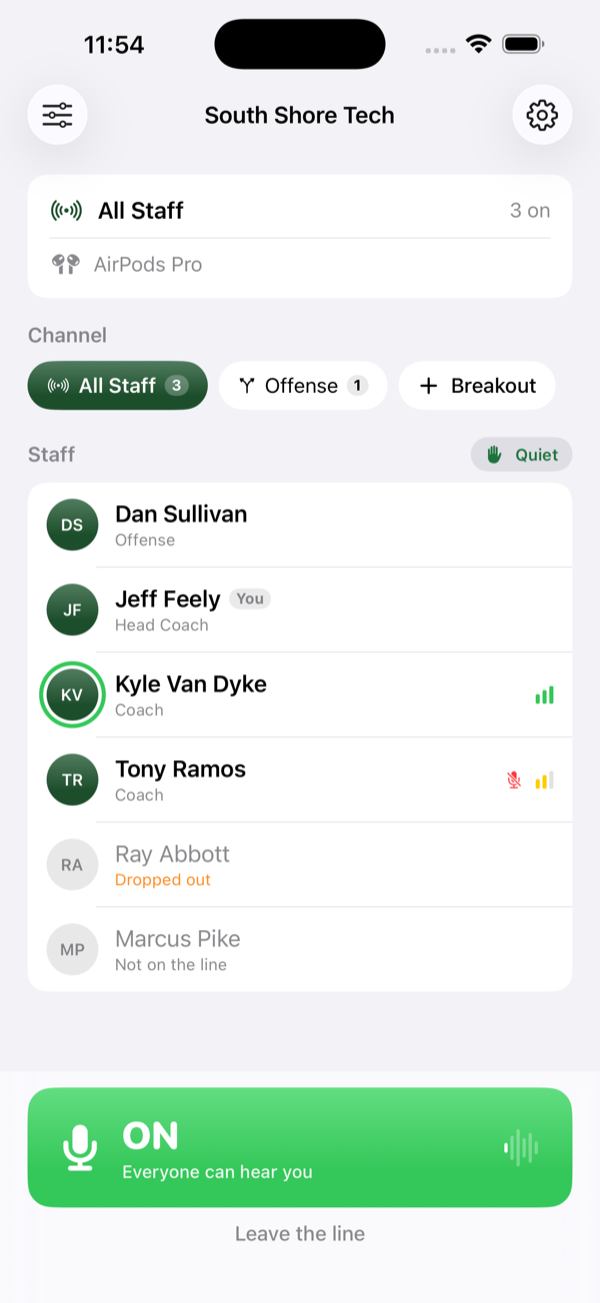
The talk button is the only control that matters, and it's sized for somebody watching the field, not the phone. Everything else on the screen is smaller on purpose.
Breakouts, made of people
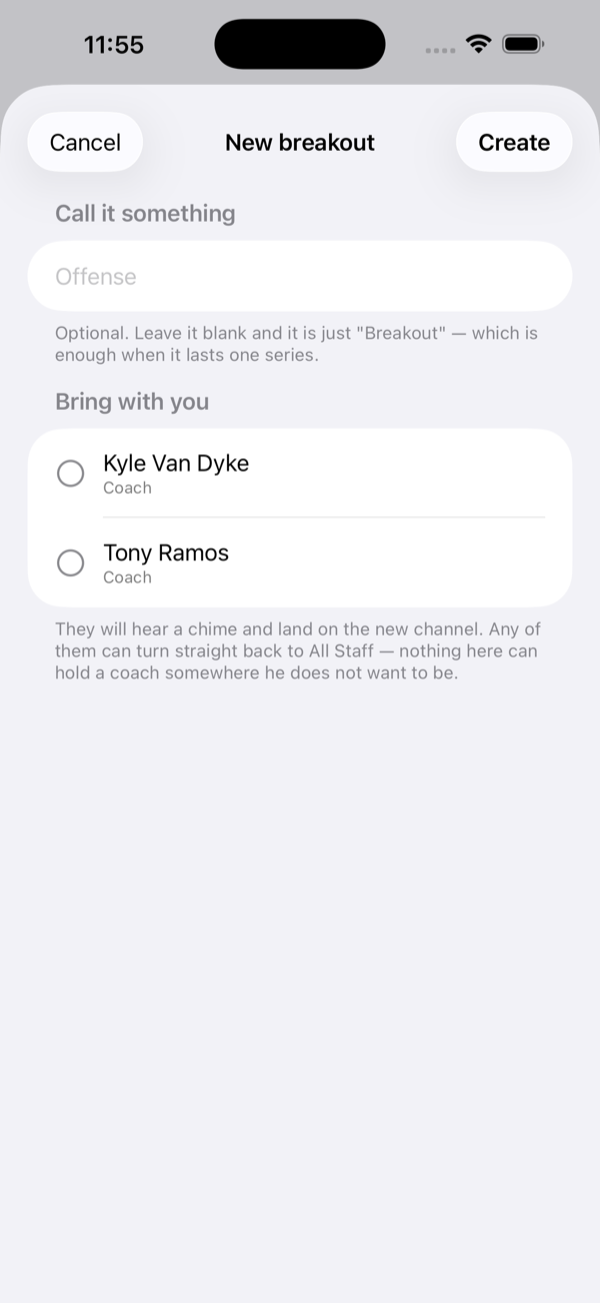
A coordinator who needs his two position coaches pulls those coaches off the main line. You pick the people, so nobody has to be talked into joining a room. When it's done, they're back on the line.
A board, so nobody else has to work the app
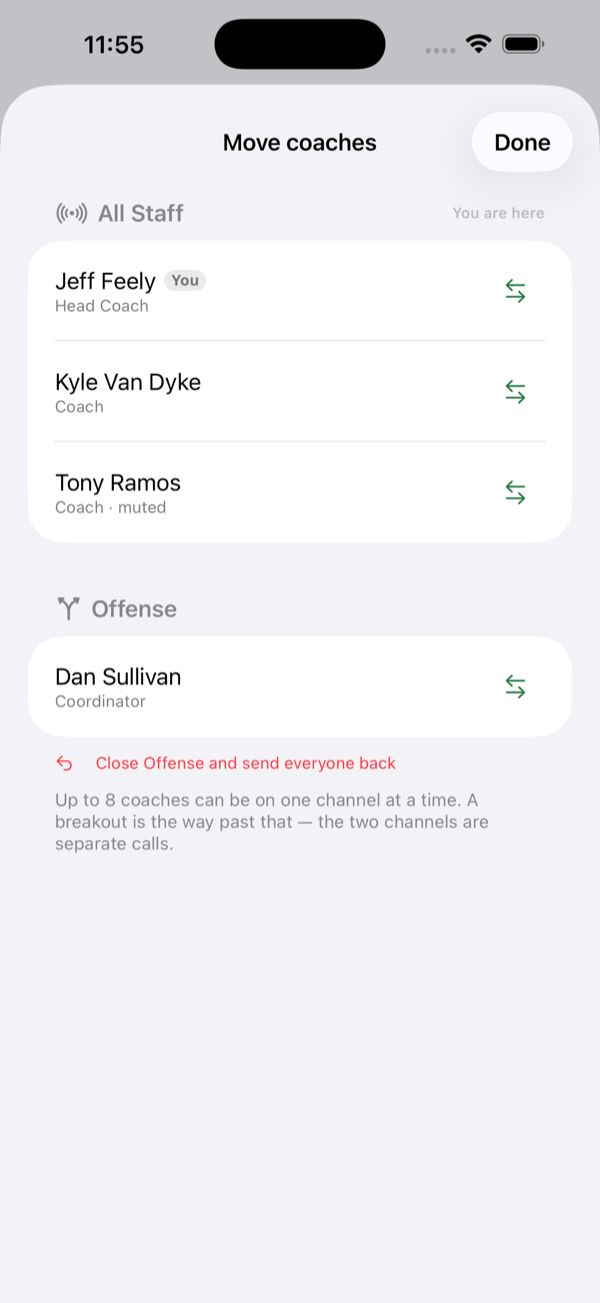
Dispatch shows every coach and which channel they're on, and moves them with one tap. It's there so a comms tech can run the staff's headsets and no coach has to think about the app during a game.
Signal you can read at a glance
Each coach shows three bars and a color. The numbers behind them are round-trip time and packet loss, and nobody on a sideline is going to act on either one, so the app doesn't show them.
On your wrist
There's an Apple Watch app. It shows your channel and how many coaches are on it, lets you mute and unmute, and buzzes when someone calls you. The sound still comes through your earbuds.
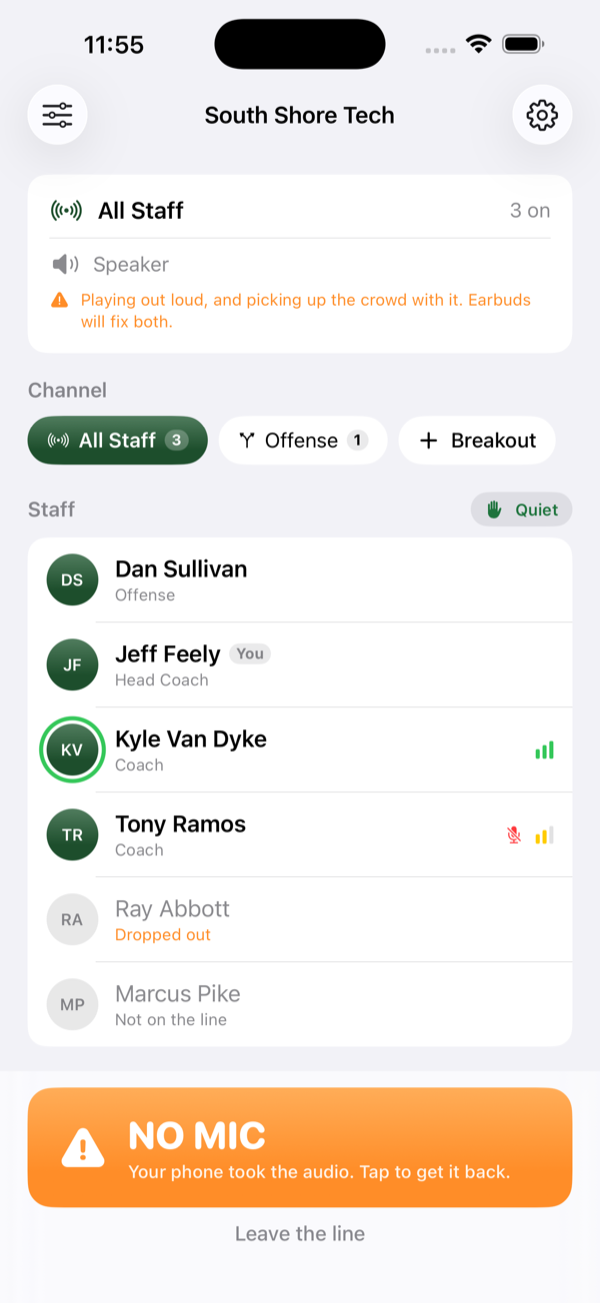
One button the size of a thumb, and words instead of numbers.
Every screen is built to be read by somebody watching the field, in one glance, with a phone held low.
When the stadium has no signal
When a stadium's service is unusable, your staff can join one coach's Personal Hotspot. The voice goes directly between the phones. Headset still needs the hotspot phone to have a little data, because coaches find each other and start the call through our database. With no data at all, nobody can get on the line.
Headset is coach-to-coach, like the Booth in SideKick. Check your own association's rules — they govern your Friday, not this page.
What it stores
No roster, and it asks for nothing about players. What it keeps on our server is one record for each coach who has used the line: your name, your account id, the role you picked, your channel, whether you are muted, when your phone last checked in, and your phone model. Today that record is not deleted when you leave the staff or delete your account; email us to have it removed. No ads, nothing sold, and nothing used to track you across other apps or websites. There is no crash reporting in the app: if it crashes or a connection drops, the app sends nothing about it to us.
Your voice is never recorded. It is carried directly between phones and encrypted the whole way; no server is in the middle of the call.
Read the full Headset privacy policy
Where it stands
Headset is new. It's meant to run alongside the equipment your staff already trusts, so take it onto the field as a second line first and tell us what breaks. Support has the address.
Getting it
Headset is on the App Store, as a separate free download from Sideline SideKick Tracker. It's included with your coach subscription, so there's nothing else to buy. Install it, sign in with the same account you use for the tracker, and you're on your own staff's line.
Get Sideline Headset Get the tracker
Something not working the way this page says? Support has the address.